Most automation projects fail before they start, because the first thing chosen is the most interesting one rather than the most valuable one.
The interesting one is usually complex, touches several systems, and involves judgement that turns out to be harder to encode than expected. Six weeks later there is a half-finished workflow nobody trusts and a general sense that “AI didn’t work for us”.
The boring one saves four hours a week from day one and quietly funds the next three projects.
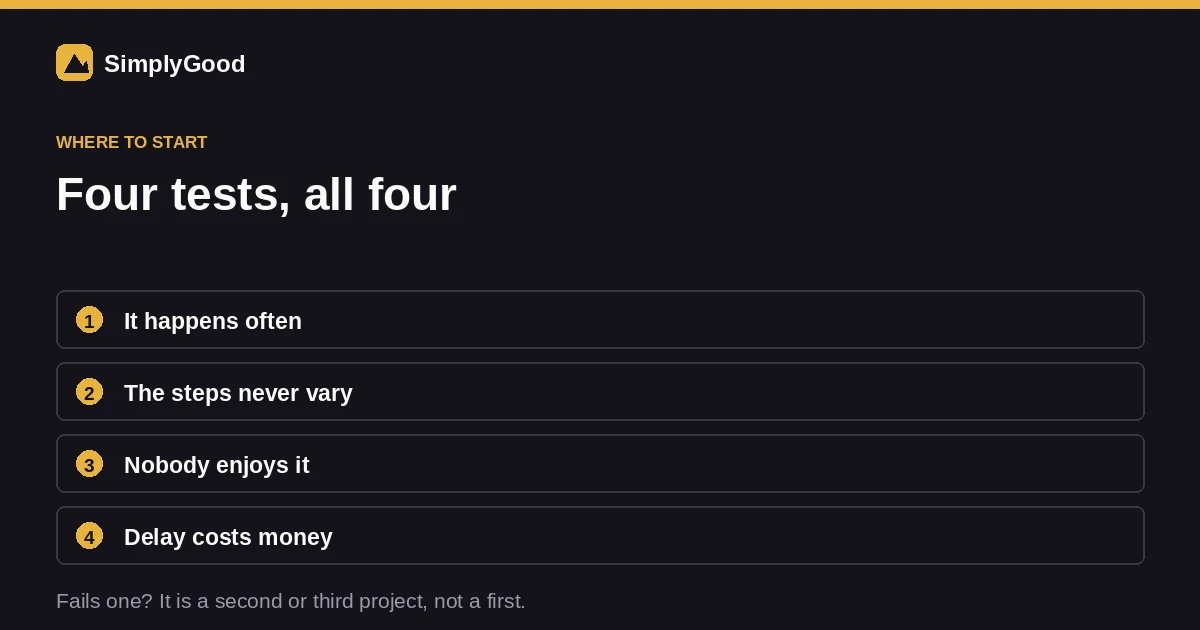 All four, or it is a second project rather than a first.
The four tests
A good first candidate passes all four. If it fails one, it is a second or third project.
It happens often. Daily beats weekly beats monthly. Something done twice a year is not worth automating however tedious it is — you will spend longer building it than you will ever save.
The steps are the same every time. Not similar. The same. If the process branches on judgement at step three, that judgement is the hard part and it belongs in a later project.
Nobody enjoys it. Copying details between systems, chasing a status, retyping a form into a CRM. Work people resent is work they do late and inconsistently, which means automating it improves quality as well as speed.
A delay costs something. An enquiry sitting unread for four hours has a price. A monthly report arriving on Tuesday instead of Monday usually does not.
Where the time actually goes
When we map a service business’s week, the same handful of things dominate. Almost none of them are the thing the owner mentioned first.
Getting an enquiry into the system. Someone reads an email or a form, decides whether it is real, types the details into a CRM or spreadsheet, and assigns it. Perhaps four minutes each. At fifteen enquiries a day that is an hour, every day, spent retyping information you already have.
Following up. Not the first reply, the third and fourth. The ones that need someone to remember on Thursday, and that quietly do not happen when the week gets busy. Most businesses lose more revenue here than anywhere else in the pipeline.
Booking and rescheduling. The back-and-forth of finding a slot. Six messages to agree a time that a calendar link would have settled in one.
Chasing information. Photographs, measurements, an insurance number, a document. Someone has to notice it is missing and ask again.
Quoting from a template. The same document with six fields changed, rebuilt by hand each time.
Reporting. Pulling the same numbers into the same shape every Monday.
The three that reliably pay back first
Across service businesses, these are the ones we would start with almost every time.
Lead intake and routing
An enquiry arrives from any channel. It is parsed, a record is created with the details already structured, it is assigned by rules you set, and an acknowledgement goes out immediately.
Why it wins: it is the highest-frequency repetitive task in most businesses, and the acknowledgement alone changes conversion — response speed is one of the strongest predictors of whether an enquiry becomes a customer.
Follow-up sequences
Enquiry comes in, no reply after two days, a follow-up goes automatically. Then again after five. Stops the moment they respond.
Why it wins: it addresses the failure mode that no amount of discipline fixes. Everyone intends to follow up. Almost nobody does it consistently through a busy fortnight, and the leads lost to that are invisible.
Booking with real availability
A link that reads your actual calendar, offers slots that exist, writes the appointment, and sends reminders. Google Calendar’s appointment scheduling covers the simple case at no cost; a dedicated tool earns its place once routing and buffers get complicated.
Why it wins: it removes an entire category of message. And reminders reduce no-shows, which is a second saving people forget to count.
Where automation goes wrong
Worth naming, because these are the projects that produce the “it didn’t work” conclusion.
Automating a broken process. If your intake is a mess by hand, automating it produces a faster mess. Fix the process on paper first. This is the single most common mistake.
Removing the human from the wrong step. Automate the retyping, not the judgement about whether a job is worth taking. The retyping is drudgery; the judgement is the business.
No handover path. Every automation needs an exit for the case it cannot handle. Without one, edge cases fail silently, which is worse than not automating, because now nobody is watching.
Building for the exception. Teams spend weeks on the 5% case. Automate the 95% and leave the rest to a person.
Nobody owns it. Automations drift as tools change. If no one notices when it stops, you find out from a customer.
A realistic first project
Two to four weeks, start to finish, for most service businesses.
Map what actually happens, not what the process document says. Sit with whoever does it and watch. Every project we have run has found at least one step nobody knew existed.
Pick one workflow that passes all four tests.
Write the rules down in plain language before touching a tool. If you cannot describe it in a paragraph, it is not ready.
Build the happy path and the escalation. Both.
Run it alongside the manual process for a week and compare. This is the step people skip, and it is the one that catches the thing you got wrong.
Measure the before and after. Hours saved, response time, leads that reached follow-up. Without a baseline you will have opinions instead of evidence.
What it costs
Published market rates for automation consulting run from around $25/hour for freelancers to $150+ for senior consultants, with project engagements typically $2,000 to $20,000 depending on integrations and complexity. Simple workflow projects sit at the lower end.
Against that, even a modest automation saving ten hours a week is worth thinking about carefully. The honest caveat: those savings only materialise if the automation is genuinely reliable. A workflow people have to check is a workflow that saved nothing.
Our approach to this is on the AI automation page, and if your bottleneck turns out to be the phone rather than the back office, AI calling is the other half of the same problem.
How to map a process properly
The mapping step decides whether the build works, and almost everyone rushes it. It takes about ninety minutes and it is the highest-leverage part of the whole project.
Watch, do not ask. Sit with the person who does the task and observe them do it three times. What people describe and what people do are reliably different, and the gap is where the automation breaks. Expect to find at least one step nobody had written down — the private spreadsheet, the mental rule about which customers get called first, the check somebody does out of habit.
Write each step as a sentence with a verb. “Someone checks the inbox” is a step. “Lead management” is not. If you cannot start it with a verb, it is a category rather than a step, and categories cannot be automated.
Mark every decision point. Anywhere the process branches, note what the decision is based on. If the answer is “experience”, that branch stays human for now.
Time each step. Rough seconds are fine. This is what tells you whether the thing you find annoying is actually the thing costing you hours — frequently it is not.
Note where it breaks. Every process has failure modes people work around silently. Those workarounds are load-bearing, and an automation that ignores them fails in week two.
At the end you should have something a stranger could follow. If you cannot hand it to a new starter and have them do the job, it is not ready to automate either.
What good looks like after a month
Concretely, for a service business that automates lead intake first:
An enquiry arrives at 9pm. Within seconds a record exists with name, phone, service and source already structured. An acknowledgement goes out saying when they will hear back. It is assigned to whoever covers that service area. Nobody touched it.
At 8am the next morning your team sees a queue that is already sorted rather than an inbox to triage. The four minutes per enquiry that used to go on retyping is gone, which at fifteen enquiries a day is an hour back.
Two days later, anyone who has not replied gets a follow-up automatically. Nobody had to remember. That single step usually recovers more revenue than the time saving does, because the follow-ups that used to fall through the gaps were real opportunities.
The measurable change is response time — typically from hours to seconds, and follow-up rate, from “when we remember” to “always”. Both are things you can put a number on before and after, which is what makes the next project easy to justify.
The most common mistake at this stage
Choosing something that touches three systems on the first project.
It is tempting, because the multi-system workflow is where the visible waste sits. It is also where the integration surface is largest, where permissions problems live, and where a single API change breaks the whole chain three months later with nobody around who remembers how it worked.
Do the single-system version first. It ships in days, produces a measurable result, and — this is the part that matters — teaches you how your own team responds to a process changing. That knowledge is worth more going into project two than the extra hours the ambitious version would have saved.
Frequently asked
Do I need AI, or just automation? Most of the value is plain automation — moving data, triggering actions on rules. AI earns its place where something has to be read or written: summarising an enquiry, extracting details from unstructured text, drafting a reply. Reach for it when a rule cannot express the step.
Zapier, Make, or n8n? For a first project it matters less than the process design. Zapier is the easiest to start with and the most expensive at volume. Make gives you more control over branching for less money. n8n can be self-hosted, which matters if your data cannot leave your infrastructure. All three do the job — pick on what your team can maintain rather than what a comparison article prefers.
How do I know it is working? Set a baseline before you build: how long the task takes, how often it is missed, how fast enquiries get a reply. Compare after a month.
What if it breaks? It will, eventually — a tool changes an API, a form field gets renamed. Build a failure alert from day one, so you learn from a notification rather than a complaint.
Can I start without a budget? Yes. The mapping exercise is free and is most of the value. Plenty of businesses find a process fix that removes the need to automate anything.
Not sure which of your processes is the right first one? Describe a week in your business and where it slows down. You will get a written reply within one business day, and an honest answer if the fix is a process change rather than software.